

For many audiologists, documentation can feel like a necessary but time-consuming part of patient care. Olivia Piper, Au.D., a cochlear implant audiologist at Yale Medicine, has found a few strategic Epic customizations can significantly reduce charting time while improving documentation quality and insurance readiness.
Start with SmartPhrases and SmartLists
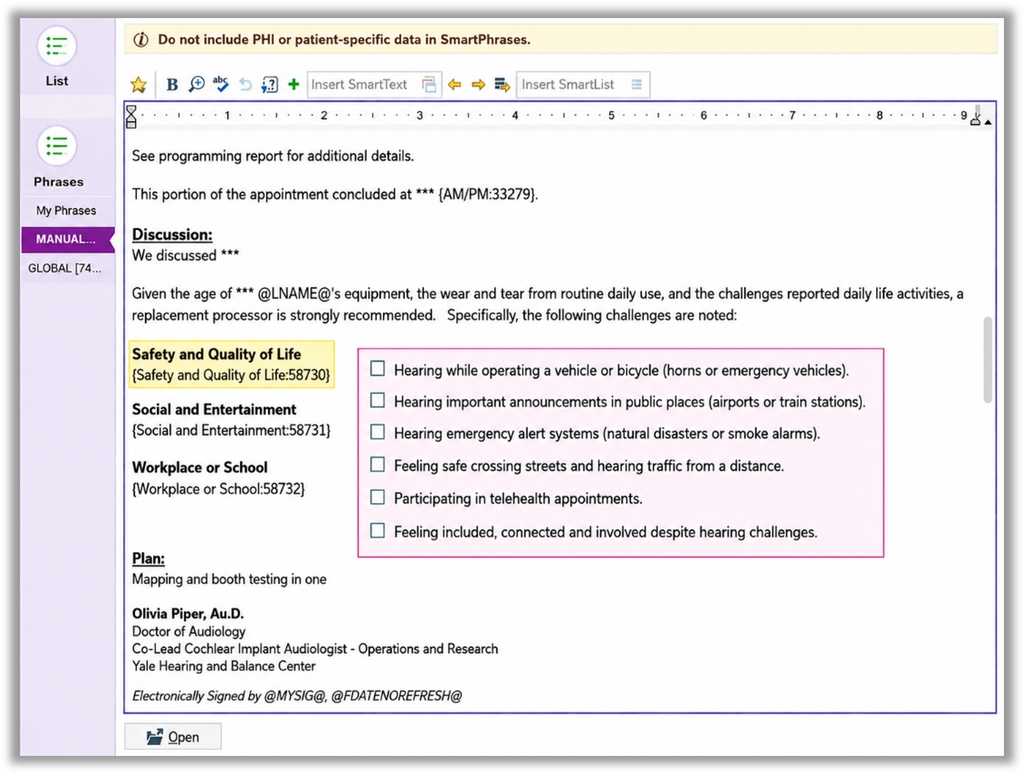
One of Dr. Piper’s biggest time-savers is using SmartPhrases and SmartLists to standardize documentation. Rather than typing the same information repeatedly, she can quickly select details such as implant type, surgeon, processor model, and side of implantation directly within her template.
“A few hours spent building SmartPhrases over the years has saved a tremendous amount of time in daily documentation,” said Dr. Olivia Piper, audiologist at Yale Medicine.
Let Questionnaires Work for You
Yale Medicine’s cochlear implant team has incorporated patient-reported outcome measures, including CIQOL and SSQ questionnaires, into Epic’s pre-visit workflow. Patients complete questionnaires before appointments, and results are automatically scored and added to the chart.
This provides meaningful clinical insights while reducing manual scoring and documentation.
Document for Today’s Needs, Not Yesterday’s
As insurers continue to carefully review processor upgrade requests, Dr. Piper has found including Activities of Daily Living (ADL) questionnaires strengthens medical necessity documentation. Patient responses help demonstrate the real-world impact of hearing challenges and can be quickly incorporated into chart notes.
“Since adding the ADL questionnaire, our team feels we’ve seen greater success supporting processor upgrade requests,” Piper said.
Create a Quick-Glance Summary
Another strategy is building a concise patient summary at the top of each note, including:
- Internal and external device information
- Recent performance scores
- Magnet strength
- Quality of life outcomes
- Contralateral ear status
This allows providers to quickly understand a patient’s history without digging through previous encounters.
Don’t Be Afraid to Ask for Help
Dr. Piper encourages audiologists to connect with their Epic support teams and learn what customization options are available. “There is a lot audiologists can do in Epic. Start by finding the right person and asking what’s possible,” said Piper.
Many workflows, including questionnaire integration and automated scoring, were developed collaboratively with Epic analysts rather than by clinicians alone. Epic support teams can also help enable additional functionality, such as electronic signatures, that can improve efficiency and streamline documentation workflows.
By partnering with Epic analysts and support staff, audiologists can identify opportunities to optimize their workflows and take advantage of features that may already be available within their organization’s Epic environment.
Peer-to-Peer Takeaway
The biggest lesson from Dr. Piper’s experience is efficiency begins with upfront organization. Whether it’s creating SmartPhrases, integrating questionnaires, or building note templates that support reimbursement needs, a little setup can save countless hours later. More importantly, it creates documentation that better supports both patient care and insurance approvals
Hear more from your peers about ways they are optimizing clinic processes and driving efficiency.

Olivia Piper, Au.D., has been a clinical audiologist at the Yale Hearing and Balance Center for the past five years. While she enjoys many aspects of audiology, her primary clinical focus is cochlear implants, and she serves as co-lead of Yale’s Cochlear Implant Program. In addition to her clinical work, Olivia recently began conducting clinical research and hopes to contribute meaningful advancements to the field. She earned her Doctor of Audiology degree from the University of Utah and her bachelor’s degree from Towson University.